Updated March 2026
The 500 error is still one of the most frequent failures in WordPress, especially in environments with limited or poorly optimized server configurations.
The 500 error in WordPress is one of the most frustrating problems because it gives no clear information about its origin. It only shows:
500 Internal Server Error
And the website stops working.
In this technical guide we explain what it really means, what its most common causes are and how to fix it step by step, without guesswork.
What does the 500 error mean in WordPress?
The 500 error in WordPress means the server has run into an internal problem that prevents it from completing the request. It’s usually related to plugin conflicts, errors in the .htaccess file, PHP memory limits or incorrect hosting settings.
Quick summary
- It’s an internal server error.
- It doesn’t show any specific details.
- It’s usually caused by plugins, .htaccess or insufficient memory.
- It’s diagnosed by checking the server logs.
Main causes of the 500 error in WordPress
| Cause | Frequency | Difficulty to fix | Impact |
|---|---|---|---|
| Conflicting plugin | Very high | Low | Website completely down |
| Corrupted .htaccess | High | Low | Immediate error after changes |
| Insufficient PHP memory | High | Medium | Intermittent errors |
| Incompatible PHP version | Medium | Medium | Failure after an update |
| Incorrect permissions | Low | Medium | Partial or total lockout |
| Hosting problem | Variable | High | Persistent error |
How to diagnose the 500 error step by step
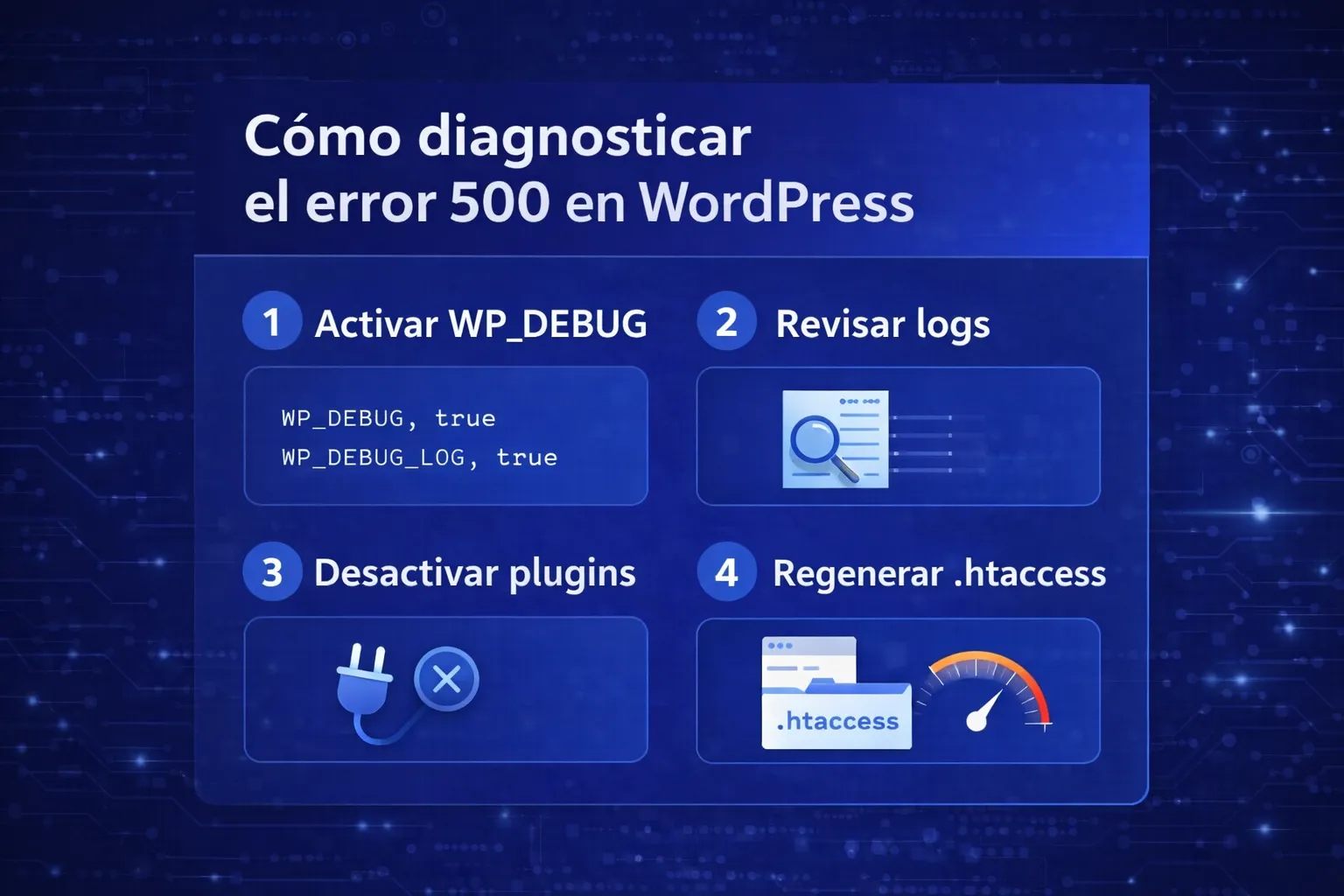
1. Enable WP_DEBUG
define('WP_DEBUG', true);
define('WP_DEBUG_LOG', true);
define('WP_DEBUG_DISPLAY', false);
Check the /wp-content/debug.log file.
2. Disable plugins via FTP
Rename the folder:
/wp-content/pluginsIf the website comes back, the problem is a plugin.
3. Regenerate the .htaccess file
Connect via FTP and rename the file:
.htaccessThen go to WordPress → Settings → Permalinks → Save.
4. Increase PHP memory
define('WP_MEMORY_LIMIT', '256M');5. Change the PHP version
From your hosting control panel, try a version that is compatible with your current WordPress.
6. Check the server logs
Look in:
- error_log
- Your hosting control panel
- cPanel → Metrics → Errors
Differences between the 500 error and ERR_CONNECTION_RESET
The 500 error indicates an internal server failure. ERR_CONNECTION_RESET, on the other hand, occurs when the connection is interrupted before the page finishes loading.
If you’re seeing that other error, see this dedicated guide:
How to fix ERR_CONNECTION_RESET in WordPress with WPML
When is it a hosting problem?
If the error persists after checking plugins, memory, PHP and .htaccess, the problem is very likely in:
- The server firewall
- mod_security restrictions
- Apache or Nginx configuration
- The resource limits of your hosting plan
In that case, the problem isn’t WordPress but the infrastructure.
How to keep it from happening again
- Keep plugins up to date.
- Don’t install unnecessary plugins.
- Use hosting optimized for WordPress.
- Monitor logs regularly.
- Schedule regular technical maintenance.
Frequently asked questions about the 500 error in WordPress
Does the 500 error affect SEO?
Yes. If Google repeatedly runs into a 500 error, it can reduce crawl frequency and affect your rankings.
Can I fix it without FTP access?
In some cases, yes, but you’ll usually need access to the server.
Is the 500 error dangerous?
It doesn’t necessarily mean you’ve been hacked, but it does point to a technical problem that should be fixed as soon as possible.
Could it be a memory problem?
Yes, it’s one of the most common causes on installations with lots of plugins or WooCommerce.
Request a professional WordPress audit
If the 500 error persists or keeps coming back, it’s a sign that the environment needs a full technical review.
At OleaIT we carry out advanced audits of WordPress and e-commerce environments:
- Server diagnosis
- Memory and performance optimization
- Security review
- Infrastructure analysis
Request your WordPress audit and stop the problem from affecting your business again.